4.3
Very Good
The Best
Good blog integration
Sell services and subscriptions
The Worst
Not as easy to use as other tools
Limited automatic sales taxes
Starting From
$23 / month
Squarespace Ecommerce Review:
Squarespace Ecommerce is a versatile store builder for anyone thinking about selling products or services online.
It offers several advantages over other ecommerce platforms: Ultra-modern templates, flexible product pages, and the ability to sell subscriptions and members-only content.
However, there are a few limitations to be aware of. We’ll cover them all in this Squarespace Ecommerce review.
Squarespace has made a name for its website builder (and in particular, its excellent blogging features), thanks to its loyal, ever-growing following of creatives, artists, and celebrities. But that’s not where the growth comes from. These days, all the big-name website builders seem to be striving toward one thing - ecommerce. Especially after seeing Shopify’s stock explode following COVID-19.
Squarespace is no exception. Its ecommerce solution is geared toward creators, artists, and other small businesses that want to be successful online. Where Squarespace differs from Shopify is that it’s geared more toward digital products - downloadable files, online classes, and premium content. There’s also inbuilt support for selling subscriptions and services, which Shopify doesn’t offer.
On the flip side, Squarespace isn’t as strong as Shopify if you’re looking to sell physical products - it lacks the full range of shipping and fulfillment options provided by Shopify, and also offers fewer payment options (for example, manual payments are not an option). Outside of the US, automated tax calculations are not available, and it’s not possible to sell in multiple currencies.
So how well can Squarespace Ecommerce serve your online store needs? Let’s find out.
Tip: Squarespace is not the only online store builder that we have tested. Check out our guide to the best ecommerce website builder if you want to learn more.
How easy it is to set up Squarespace Ecommerce?
There’s no complicated installation process involved because you manage everything in your browser. Signing up for a Squarespace account is free and doesn’t require a credit card, and you have 14 days to put Squarespace to the test. After the free trial, they’ll ask you to upgrade to a paid plan.
If you already have a Squarespace website (for example, for your portfolio or business site), the online store can be added with just a couple of clicks. You’ll also be able to easily switch over to any of the Squarespace Commerce plans (more on that below).
How much does a Squarespace Online Store cost?
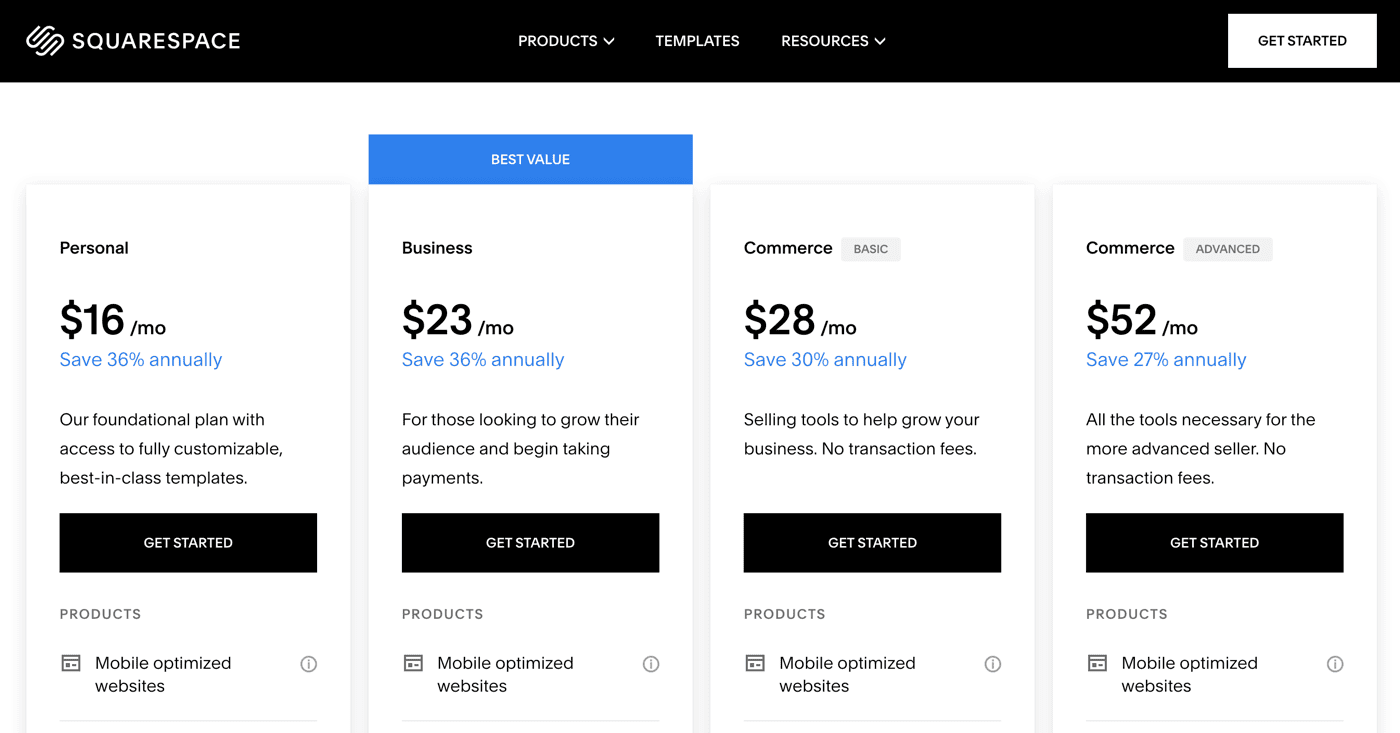
Squarespace has three plans that come with a fully integrated online shop. They have no product or bandwidth limit. In plain English: You can sell as much as you want to as many people as you want.
The cheapest ecommerce plan, “Core”, starts at $23/month. However, it charges an additional 3% transaction fee on sales and comes with basic ecommerce features only. If ecommerce is the main goal of your website, we wouldn’t recommend this plan.
Instead, the Plus plan would be the better option since it ditches those extra fees. Furthermore, your customers can create their own accounts. You’ll also have access to the Squarespace Point of Sale (POS) app, advanced analytics, and Instagram product integrations. It’s per month.
The highest plan, Advanced ($99/month), has some neat features like real-time rates for shipping carriers, abandoned cart recovery, advanced discount options, and the ability to sell subscriptions. Check out our detailed Squarespace pricing guide if you want to know more about monthly costs.
Screenshots


Squarespace Pricing
Monthly prices are based on 1-year contracts; Domain name registration is included for free in the first year. Only new domain names can be registered through Squarespace.
Only new domain names can be registered through Squarespace. Existing ones need to be pointed to your Squarespace website from a different registrar.
Pros & Cons of Squarespace
Rating Details
It’s not the most intuitive tool (see our Squarespace tutorial). The user interface is minimalistic, which is nice, but its usability could be improved. For example, I had the feeling that the editor was slowing me down by prompting me to save changes all the time. Compared to other site builders like Weebly it will probably take you a bit longer to fully understand everything. Generally, it feels like you need a lot of clicks for each task.
Templates are their greatest strength. There are close to 180 to choose from, and designs look both artistic and modern. All templates are fully responsive and some of them also have special features for mobile devices. Pros can control the HTML/CSS in the “Core” Plan (via the Developer Platform). Blueprint AI helps you generate colors, fonts, and layouts for your website in just seconds.
All plans are ad-free.
The editor supports any language. There are 11 interface languages (EN, ES, FR, DE, IT, PT, JP, NL, SV, DA, and NO). Translations can be enabled through an integration with Weglot. This allows you to add a language switcher to your site header, and display automatic or manual translations. It’s very easy to set up, but it comes with some SEO shortcomings (e.g. URL structures)
Yearly and bi-yearly subscriptions include a domain name for 1 year, after that prices start at $20 annually (depending on the ending). Domain registrars like Namecheap offer much better deals. Existing domains can be also pointed to Squarespace websites. They offer email addresses via Google Workspace, which cost $6/month for each account. More information.
Only one level below the main navigation. You can drag and drop pages to embed under each other or set up additional navigation layers using ‘Folders’ (as they call it), which, frankly, is more complicated than it needs to be. Some templates feature a secondary navigation underneath the main navigation.
There are 45 apps in the Squarespace Extensions marketplace. The ones currently available are mostly ecommerce and accounting-related. For users of the Plus plan (and above) there are also other add-ons, which can be accessed through the web editor: pop-ups and an announcement bar, photo galleries, appointment scheduling, social media widgets, tools for restaurants and much more.
Squarespace offers quite a simplistic app, but you can edit all your pages directly from your smartphone or tablet. It also lets you manage your inventory and view statistics.
Android
iOS
It’s all part of the Core plan and above. The Core package offers fewer e-commerce features. You can add a shopping cart to your website or blog, allowing customers to sign up and have an account with your store. Squarespace is ready to sell digital services and products. You can set up a store in multiple languages, but there are some SEO limitations, like URL structure (more information).
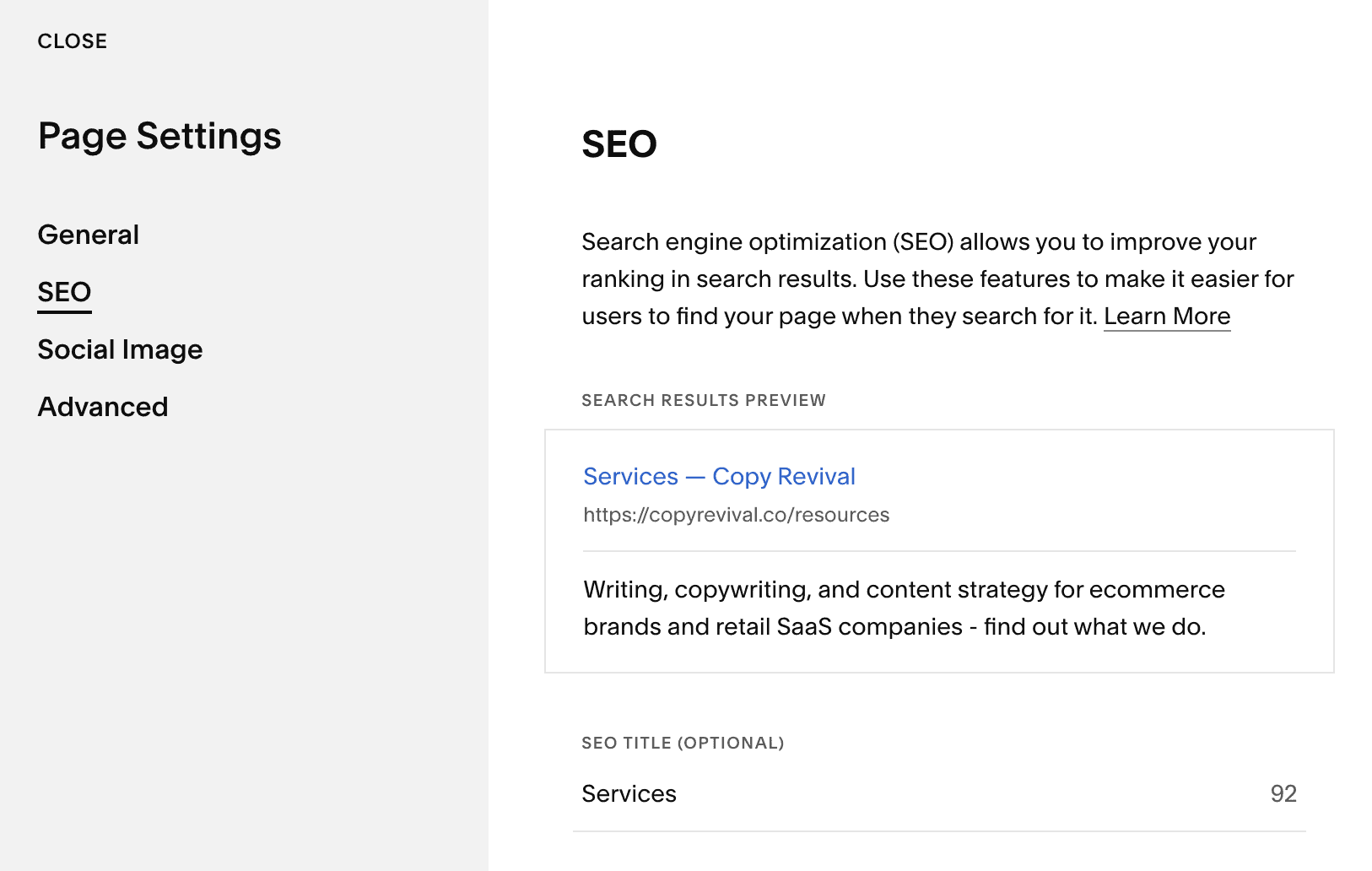
Squarespace’s SEO options are solid, you can customize aspects like the title tags, meta-description, and URLs (for any page). Adding alt text for images is possible but it can be a bit tedious. 301 redirects are also possible. Multilingual sites have some SEO shortcomings. Squarespace has a caveat where Google may index internal “ugly” URLs over your real domain, eventually it gets fixed, but it’s not a great start.
Can be a real alternative to a WordPress blog as it has the usual blogging features (commenting, multi-authors) as well as geolocation tags and the option to schedule posts. If you already have a blog on WordPress, Blogger or even Shopify, you can also import it. A really special feature is podcast hosting, complete with RSS feed and iTunes syndication. The only real drawback is that the Fluid Engine editing system isn’t available for blog posts, meaning you get less control over the layout and design of blog pages.
Fully customizable contact form builder with lots of field options.
Squarespace’s Member Areas allow you to add premium, members-only content to your site, such as classes, courses and workshops as well as podcasts. It also integrates directly with Squarespace’s email marketing service.
Squarespace Email Marketing offers a newsletter service that can be integrated with your website and store. You’ll also be able to connect Mailchimp via Squarespace Extensions.
Enables other widgets and tools to be added. Using the Developer Platform (Core tier and above) you can also edit the source code of your template
No bandwidth or storage limit.
24/7 ticket system and live chat. The knowledge base is comprehensive. Personal support is also great and scored well in our extensive support tests (they were a bit slow to answer emails from time to time)
Figuring out how the system works can take a while in the beginning but it’s well worth it.
Although not quite as easy to use as other website builders, Squarespace is a good product for small and medium websites, online stores and blogs that need to look good. Support is a big plus – both the knowledge base as well as personal support. The higher-tier plans are anything but cheap, so keep that in mind if you anticipate needing an upgrade
Squarespace Review: Conclusion
We’ll admit it — in the past, we always thought of Squarespace as being a little overrated. The rather complicated editing interface used to be a major sticking point. Fortunately, this has been improved in more recent versions.
Although still not perfect, the site builder now allows for real point-and-click interaction. This speeds up your website building efforts and lets you avoid unpleasant surprises.
Adding additional apps and features
There’s also been a shift towards providing a greater range of tools and add-ons, including membership areas and courses, online meetings, Email Campaigns, and Tock restaurant reservation system. These, on top of existing features such as ecommerce and podcast support, demonstrate Squarespace’s goal to position as a one-stop solution for business owners.
The downside is the limited number of apps available in Squarespace Extensions is a little disappointing, especially if you want to integrate your existing tools that aren’t featured in the library. It’d be nice to see a larger library of integrative apps as well as the ability to autosave content while editing without having to publish it.
Exploring Squarespace’s AI Features
Remember when making a website meant struggling with clunky editors, picking fonts at random, and questioning your life choices? Squarespace’s AI features have arrived to (try) to save you from design disasters and writer’s block.
Blueprint AI: Tell it what you need, and Squarespace will generate a custom website layout with fonts, colors, and starter text. Of course, you can tweak the design to make it your own.
AI Website Copy: If writing about yourself feels like writing a dating profile (awkward), this tool polishes your site copy for you.
AI Section Backgrounds: It generates balanced backgrounds that make your text pop.
AI Product Descriptions: Sell more, type less. This tool writes for you SEO-friendly product descriptions.
AI SEO Site Descriptions: Helps you stand out in search results, because “My Cool Website” won’t cut it.
Blog Posts Powered by AI: Need fresh content? AI helps you draft, refine, and optimize blog posts, so you’re never short on ideas.
Dynamic Dashboards: AI-powered insights so you can track what’s working, tweak what’s not, and grow smarter.

With these features, Squarespace acts like a creative assistant that never complains, just like ChatGPT or Perplexity, but built directly into your website editor.
The Website Builder for Blogging
The blogging system is excellent, offering a lot more versatility than most other website builders except WordPress (which is much more complicated to set up than Squarespace).
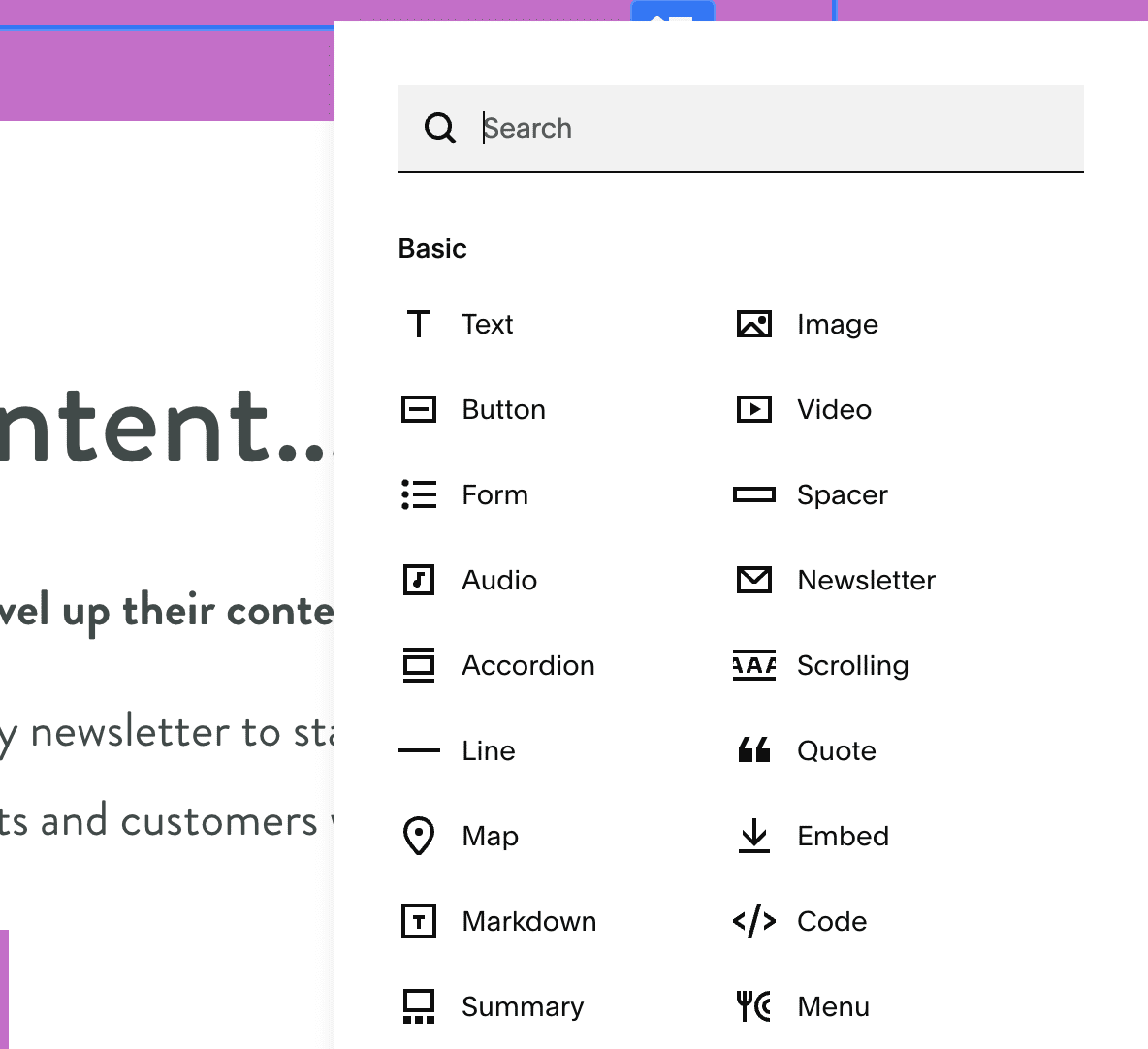
However, sometimes it still feels a little too minimalistic, and can require a decent amount of trial and error until you are completely familiar with the editor. Some of the page elements are limited to an icon and don’t reveal their purpose immediately. Luckily, Squarespace provides many great tutorials that explain all the tools.
Pricing
Each yearly plan comes with a free domain name the first year. Although the “Basic” isn’t exactly cheap at $16/month, it comes with up to 1000 pages and unlimited bandwidth. To add premium features, such as marketing banners and ecommerce, you’ll need the “Core” plan at $23/month. While these are the prices for annual contracts, you also have the possibility to pay month by month, with the Basic plan starting at $21 a month.
Squarespace is far from the cheapest website builder out there. If you’re on a budget, you might want to think twice before committing, check out more affordable site builders.
Final thoughts
Our tests have shown that Squarespace is a reliable website builder; however, its page speed needs improvement. Squarespace is not perfect, but we agree with their slogan: “Better websites for all.” You certainly can create a beautiful, SEO-optimized website and will never feel on your own thanks to their help materials and live support.
If you are looking for Squarespace alternatives, you may also want to check out Wix.com. Like Squarespace, they are very focused on design aesthetics and generally a bit more flexible than Squarespace.
> Try Squarespace 14 days for free
Tip: Save 10% on your first subscription term for any plan (monthly or yearly) using voucher code TOOLTESTER10. Here’s a guide on how to redeem it.