
4.1
Very Good
The Best
Unified Messaging
AI-powered chatbots and support
Whatsapp Channel
The Worst
Automated messages / triggered chats
Setup is not always very intuitive
Starting From
$90/month
What is UserLike?
Although this live chat software isn't as well-known as some of the other providers, it definitely makes an interesting first impression. Userlike comes from Germany, and, being a European company it naturally supports all the EU privacy laws (GDPR etc.).
But that’s just one of a surprisingly long list of perks. Feature-wise, it more than holds its own against big-name competitors like LiveChat and Olark, offering advanced features such as multichannel messaging, asynchronous chat, voice and video calls, screen sharing, a chatbot API, and more.
Its AI Automation Hub is also unique, offering AI-powered support tools such as a chatbot, Smart FAQ, knowledge base, and contact form suggestions.
All this forms part of Userlike’s Unified Messaging offering - a way to help companies continue conversations with clients across various sessions (and even channels), and forge stronger customer relationships.
With all this in mind, you might be wondering: is Userlike right for my business? Read on to see if it’s worth your time.
Userlike Pricing
Prices for annual billing.
A more detailed look into the live chat software
AI Automation Hub
This is probably Userlike’s most exciting feature. Out of all the live chat tools we’ve tried, this is one of the few that offer this level of AI-powered customer support.
With the AI Automation Hub, you get the option to offer various support channels to your website visitors and customers:
Knowledge base: A self-service resource that allows you to centrally store all the questions and answers you want customers to be able to find.
Contact form suggestions: A tool that analyzes visitors’ contact form queries in real time, enabling it to provide prompt answers while customers are typing. This reduces the volume of contact form submissions and minimizes repetitive inquiries.
Smart FAQ: An interactive help section that predicts queries as users type and can be integrated into multiple pages.
AI chatbot: An intelligent chatbot that can answer questions without agent intervention. In cases where questions become too complex, the chatbot can transfer the conversation to an available agent.
Here’s how it works in a nutshell: All the answers come from the knowledge base. As long as you have the necessary information stored there, the AI can respond to visitor’s queries accurately, regardless of the support channel they choose.
For example, when you add a question to the knowledge base, you can also specify question variations, as well as multiple answers. These can vary according to the date, the visitor’s country, for your different brands, or even if it’s a customer asking vs an agent. You can also add categories to organize your answers and specify when certain answers are shown.
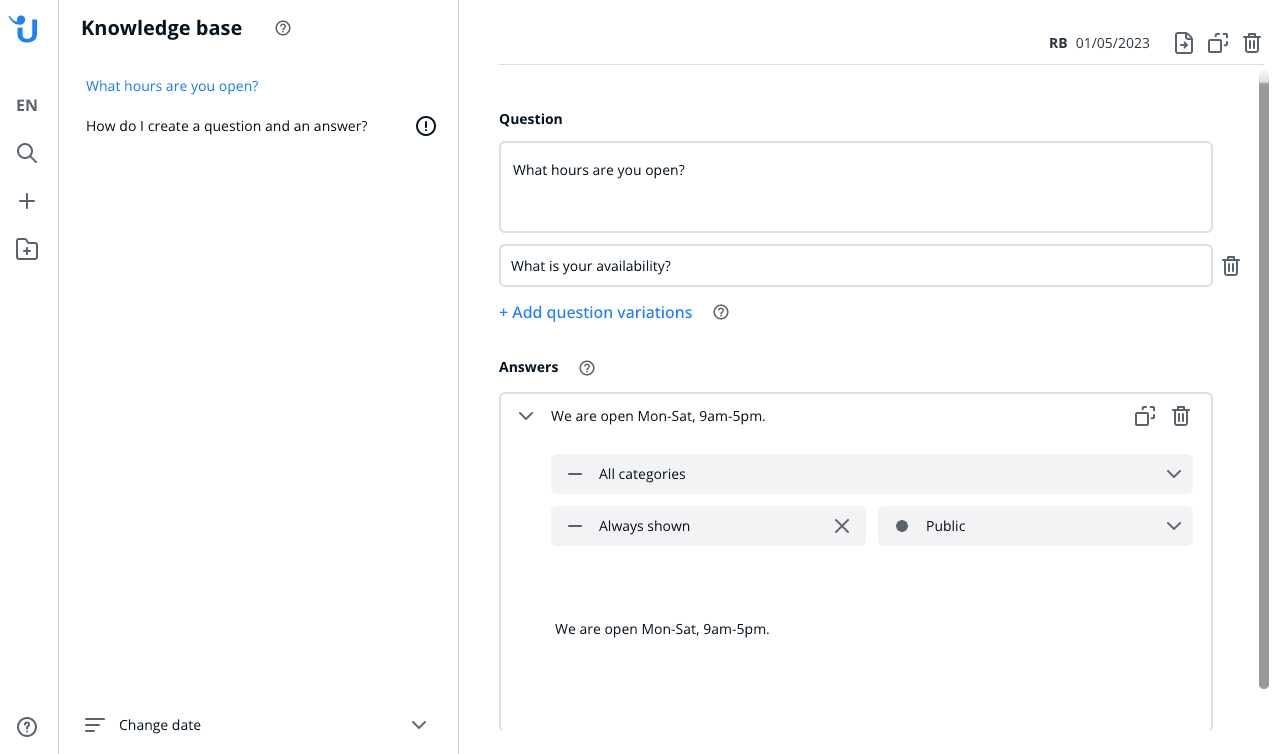
Adding questions and answers to the knowledge base
You can also set up an AI chatbot as part of your team. While it’s designed to answer visitors’ questions intelligently based on the information stored in the knowledge base, you can specify what to display in certain situations, e.g. at the beginning of a chat, or when the chatbot can’t answer the question.
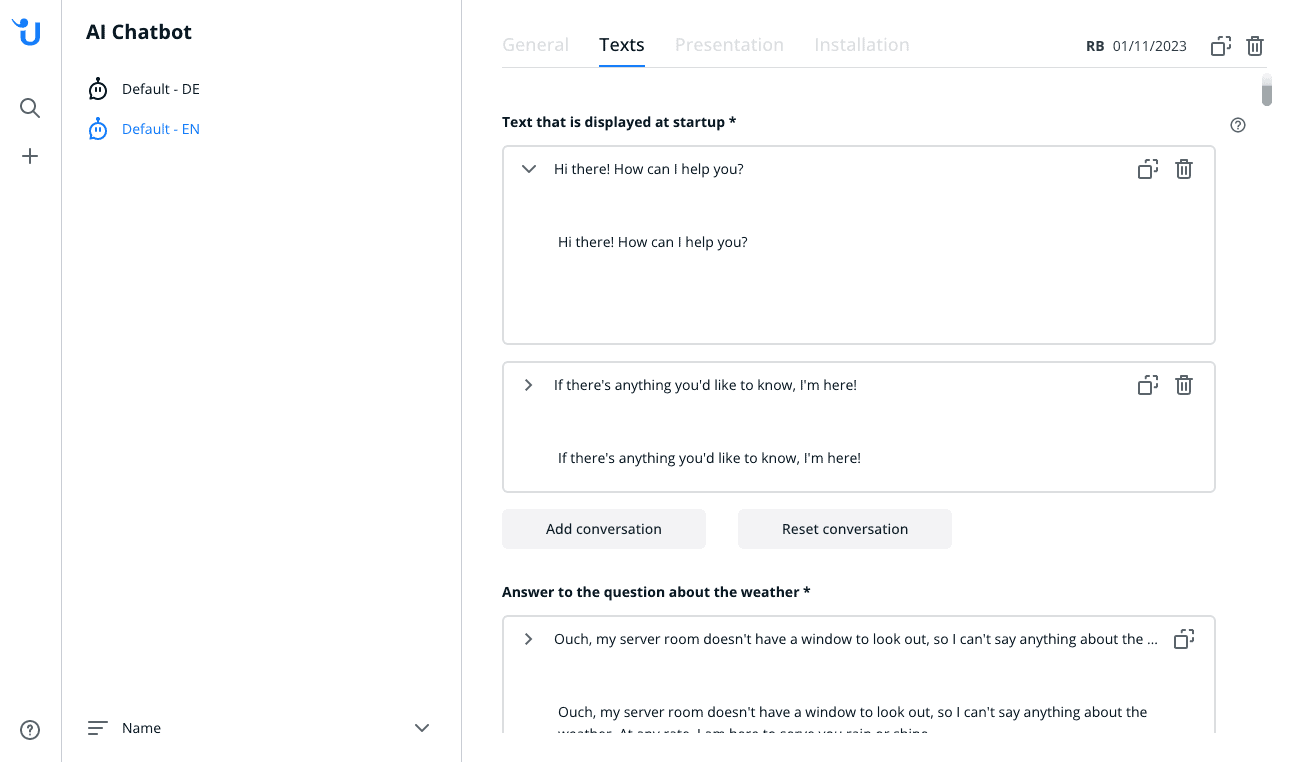
If you don’t have the time to code your own chatbot, this is a handy alternative. However, the chatbot’s answers will only be as good as the information you have in the knowledge base. If your knowledge base is light on content, the chatbot may not work as effectively. The good news is that over time, the chatbot will learn and improve its ability to provide accurate answers.
It’s important to keep in mind that separate chatbots need to be created for each of your languages, as chatbots only support one language at a time. For those seeking greater control over chatbot behavior, Userlike provides options for integrating custom chatbots through APIs or creating rule-based flows using the Userlike Bot Language.
What could really round out the support feature set, however, is a ticketing system. This is offered in many other live chat tools (for example, JivoChat and Tidio), but is missing from Userlike. Although you might be able to find a workaround using the Conversations feature, it may not be ideal if you’re fielding a lot of support requests and want an easy way to manage them.
Team Management and Chat Routing
Userlike stands out with its exceptional level of control over agent management and chat routing. In addition to setting up individual operators, you have the flexibility to create operator groups. Assigning agents to specific groups based on their expertise (e.g. IT support, billing) or languages (e.g. English, Thai) allows incoming chats to be routed only to relevant group members.
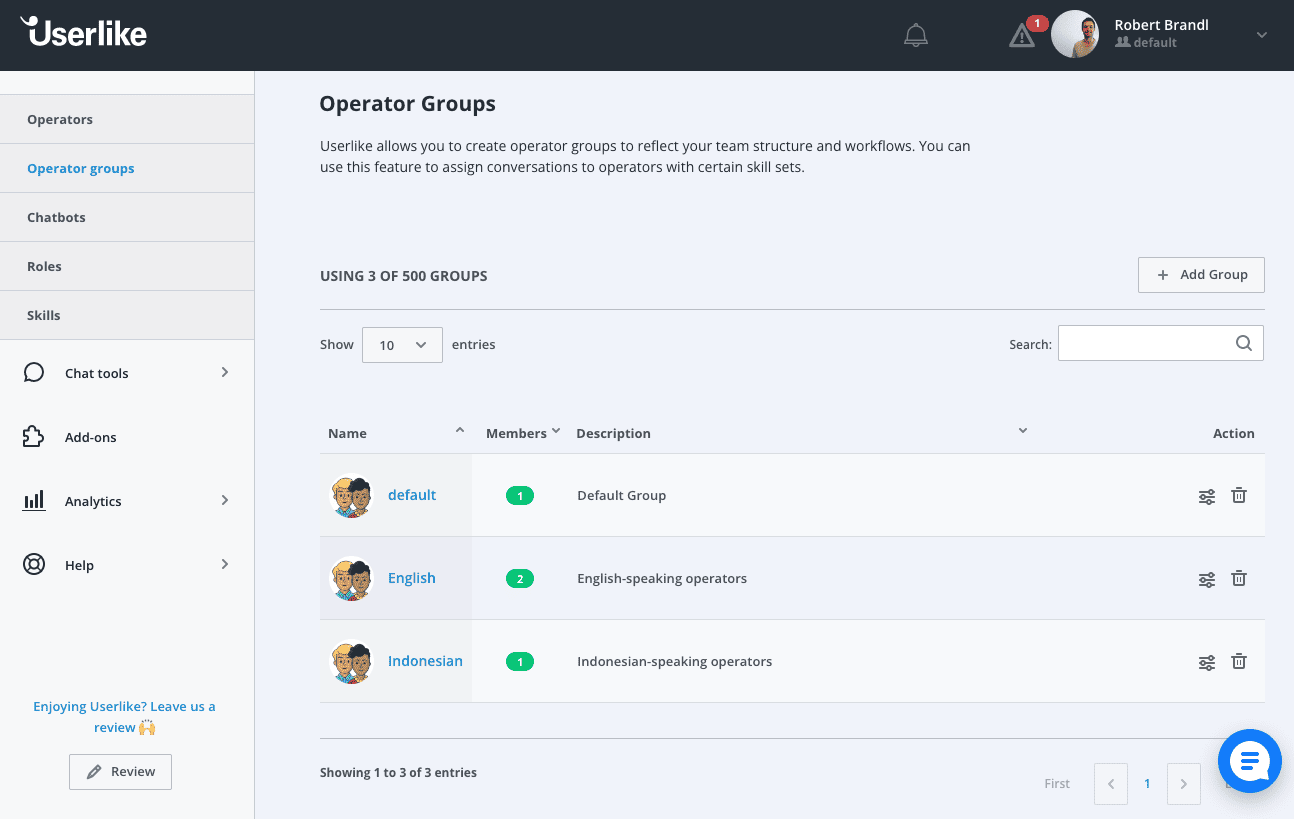
One drawback is that agents can’t be assigned to multiple groups, so make sure that your groups have no overlap. This means you’ll have to choose between grouping by languages OR expertise. To overcome this limitation, Userlike offers the option to set up “Skills.” Skills can be used to route chat conversations to operators with the relevant skill sets, and agents can have multiple skills assigned to them.
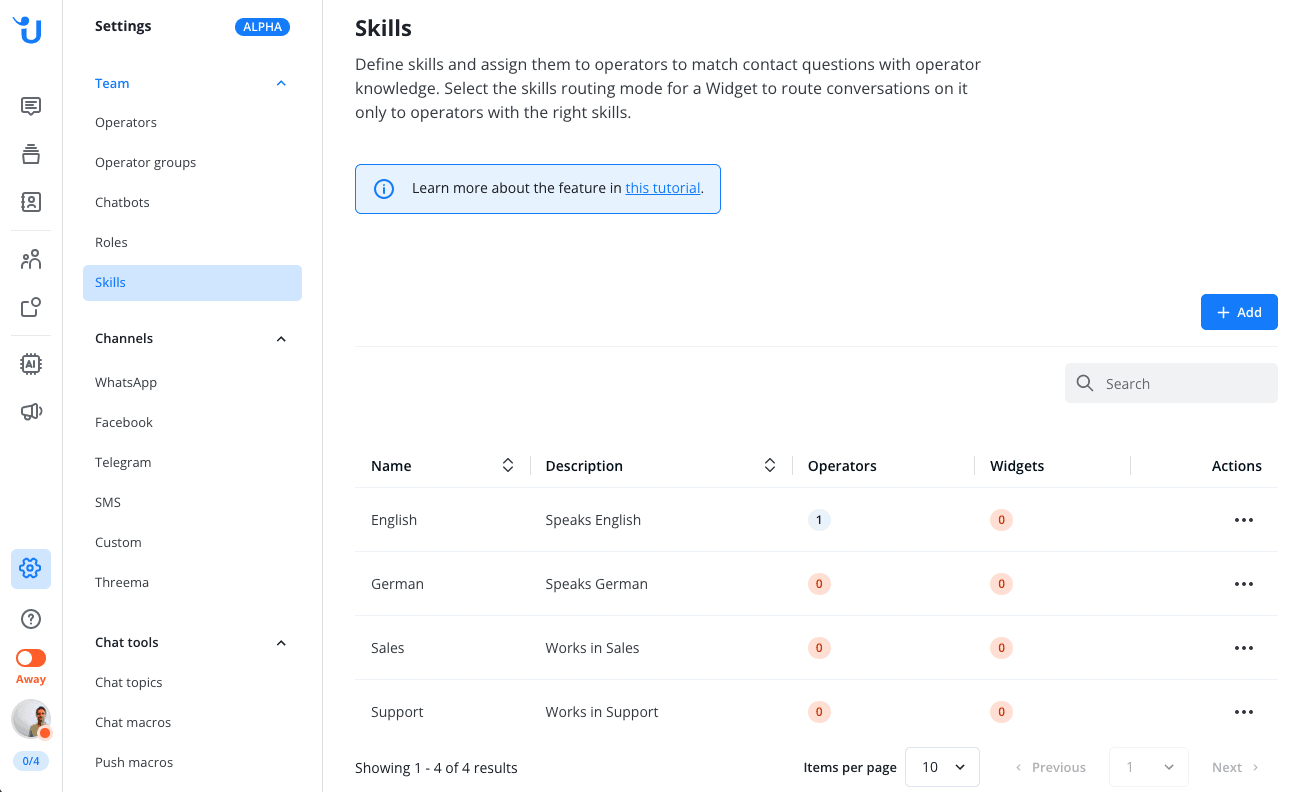
A few other unique options include the ability to:
Let operators access and switch between multiple organizations using a single login, which is convenient for support centers serving multiple clients
Specify the maximum number of chat sessions operators can handle simultaneously and automatically assign chats to operators with the most available slots
Allow website visitors to resume chats with the same agent they previously interacted with
Assign different roles (manager, admin, staff, analyst, and agent) to manage access rights and permissions
Userlike Review: Conclusion
All in all, Userlike is a solid solution although we felt the user experience, and some of the features, could still be better. There were a few settings in the setup of the chat widget and routers that we didn’t find that intuitive.
On the bright side, you are able to easily call, screen share and request screenshots from your visitors, which can solve a lot of issues very quickly.
A noteworthy feature is its AI Automation Hub, which is designed to streamline workflows and reduce the workload of human customer service agents through its AI-powered chatbots, knowledge base, and FAQs. What’s more, it’s surprisingly easy to set it all up, although you do need to be on at least the Corporate plan to access these features.
They also get a big thumbs up for their efforts towards providing a complete Unified Messaging solution. We love that customers can continue conversations across different sessions, and can even access past chats from any device, simply by entering their email address.
Plus, the ability to integrate with popular messaging channels such as WhatsApp and Facebook Messenger means that businesses can service an even wider audience.
So, depending on the features you need, Userlike can be a good choice. We see particular strengths in their multilingual availability, survey and chat rating options, as well as their CRM integrations.
Getting live support in a European time zone and the possibility to switch off the collection of private user data can be a distinctive advantage for companies located in Europe.
It’s great that Userlike offers a free plan, which is plenty to get started and might even be enough for a small business to run their live chat out of. They offer four different pricing tiers, and a 14-day free trial.