
4.5
Very Good
The Best
Excellent Templates
It’s extremely flexible
Easy to Customise
The Worst
Pricing
Loading speeds
Hard to Learn
Starting From
$17 / month
Free plan
Ad-free
We awarded Wix our Best Website Builder badge for 2025!
Find out why in this detailed review of its product.
Wix is a super popular platform widely used for building websites, with over 230 + million users and thousands of employees.
We, at Tooltester, have been testing it out and weighing up its pros and cons for years. We have also worked on dozens of real projects hosted at Wix.
In this review, I want to break down what you can expect from Wix, when to use it, and when it's not the best choice.
Wix Review: Summary
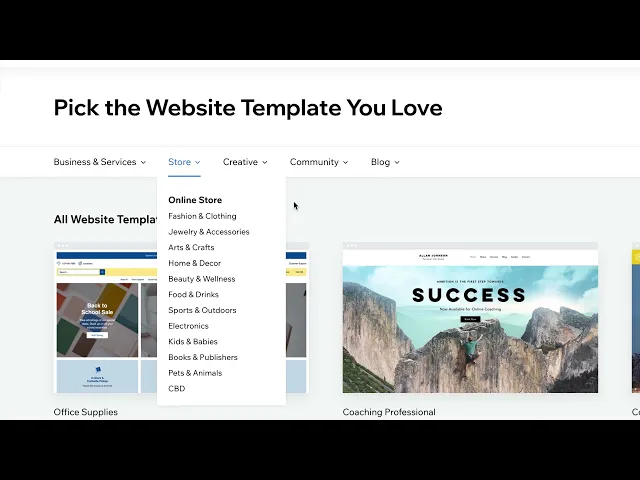
Wix offers very visual templates designed with small businesses, restaurants, online stores, musicians, photographers, and artists in mind.
There are more than 900+ free templates available that can be customized to your liking. They're designed to look great on your phone, but you might need to play around with the layout a bit. Wix can be enhanced with numerous apps available in its App Market.
With Wix, you get a free plan, but if you're looking for some extra perks like having your own domain name, priority support, or the ability to sell products, you must upgrade to one of the paid plans. You have choices from the Light plan to the Business Elite plan; more information about their prices and plans is available in our Wix pricing guide.
Check out our Wix Video Review:

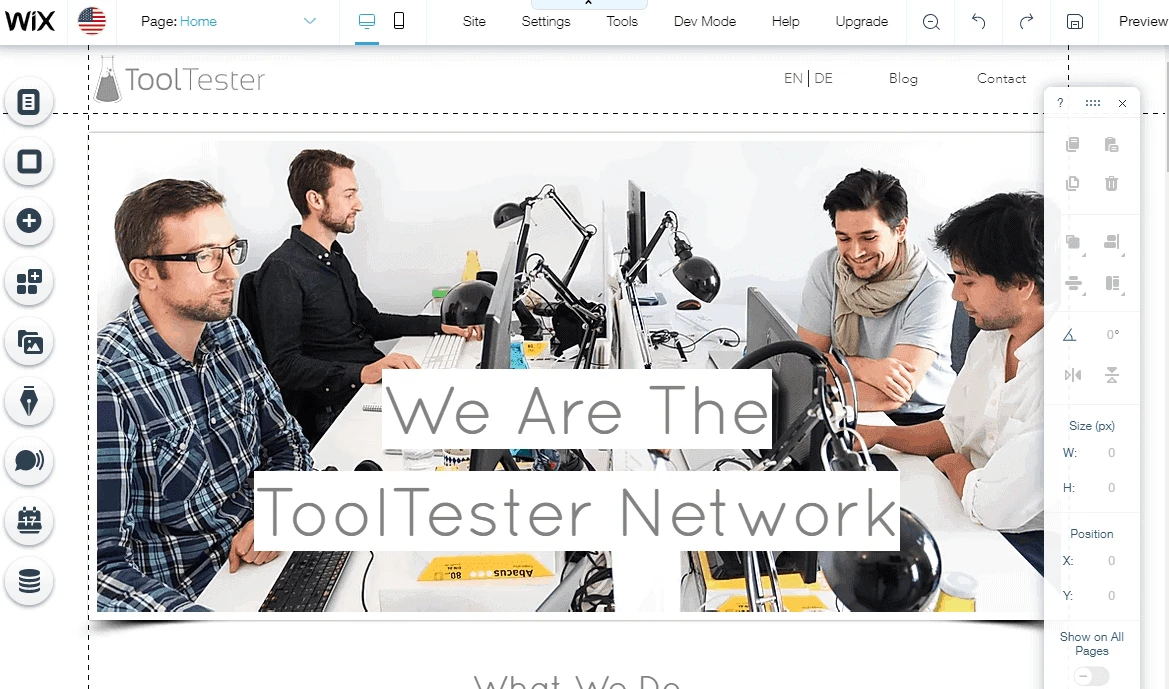
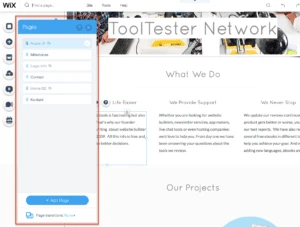
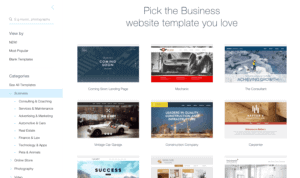
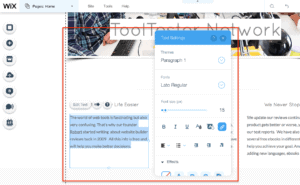
Quick start guide to setting up a free Wix website - 4 steps
Who Should Use Wix?
Its system is made to work for a variety of users, whether you're managing a personal project or handling a professional one like running a restaurant, managing an online store, making music, or taking photos.
Plus, it has templates for almost everything you could think of and some handy apps for specific businesses, like selling online courses or managing appointments.
In a way you can compare Wix to a prefabricated house: the fundamental structure already exists and can’t be changed. You can, however, paint the walls to your gusto (choose a theme) and add the furniture you love (photo galleries and other apps - you can learn how in our Wix tutorial).
Compared to other website builders we've reviewed, like GoDaddy and Jimdo, Wix gives you a ton of freedom. So if you are generally happy with a more standard looking web design, you may find it easier with the aforementioned site creators.
Our very own Wix Case Study

In fact, I used Wix to create my own portfolio website and blog on robertbrandl.com. I had a particular design in mind and just needed a quick way to build it. Also, I didn’t want to have to think about security updates etc. which meant WordPress wasn’t an option.
In the end, I considered both Weebly and Wix (our top-rated builders) and went for Wix. With Weebly there was just no perfect way to make our design look good on mobile devices.
I also tried using Squarespace, which I was very keen on for its great blogging feature. But compared to Wix, I found the editing process more cumbersome (for starters, the editor doesn't auto-save), and I just couldn't get the design quite right.
In contrast, working with the Wix editor was a breeze, offering handy tools such as photo filters and animated texts. The editor also constantly saves your progress and lets you revert to a previous version if needed. This is extremely helpful! Also, the mobile website editor helped to get exactly the smartphone-friendly website version I was aiming for.
But before getting ready to swipe your credit card, keep in mind that every website has different requirements.
Screenshots from Wix
Wix Pricing
Monthly prices for 1-year contracts; Domain included in selected packages.
Tip: Save 10% using discount code “TAKE10”. Applies to monthly and yearly plans.
Which plan should I choose?
No Wix review would be complete without a close look at the pricing:
The Light plan is the top choice for setting up a regular website (without selling online). It’s ad-free, includes a free domain name for a year, and offers enough storage for most users. Find out more in Wix’s pricing guide.
Pros and Cons of the Wix Website Builder
Rating Details
The editor is very intuitive to understand. If you are stuck, the FAQ section will help. Short introductory videos give instructions on the different functions. It has a completely visual system, so you can position all the elements by dragging and dropping them. Complete novices will love AI Website Builder: this new system holds you by the hand while configuring your website.
The designs look professional and allow for pixel-perfect customizations (see examples). There’s a mobile-friendly version that can be adapted individually. You can also embed videos in the background and even upload your own fonts to the Wix editor. Unfortunately, there isn’t an easy way to switch templates. If you want to change to a new one, you’ll have to copy your website’s content to a new template.
Ad-free only from the premium plan “Light”. The free version shows a pretty visible Wix banner.
You can work with Wix in 13 different languages. The Wix editor supports around 180 different languages. Creating multilingual sites is totally doable, and they can even switch to the visitor’s preferred language automatically. However, this functionality is not perfect as it does not allow you to modify the URL structure (e.g. the word “shop” in a URL like mywebsite.com/es/shop).
Free custom domain name for one year, included in the premium “Light” and higher plans. Wix supports domain endings including .com, .org, .net, .co.uk and .info. Renewal prices start at $17.35 per year. Always included: SSL encryption (https).
You can also get a custom email address on your own domain name via Google Workspace or other providers.
A maximum of two levels is possible. A third level would be desirable as right now it’s not very convenient to manage a larger site with Wix (50+ pages). Also, the more pages you add, the slower the editor tends to load. Keep in mind that Wix websites have a page limit of 100 (not counting blog posts). However you can get around this page limit by using dynamic pages, which are ideal for displaying standardized content such as portfolios, recipes, listings etc.
You can access a variety of interesting marketing tools directly from your site’s dashboard. These tools include Wix’s logo maker and brand studio, to help you create a comprehensive branding kit. Another great feature in paid plans is the Wix Video Maker by Vimeo, which allows you to create endless promo videos for free.
The Wix App Market offers a wide range of unique widgets and apps, such as image galleries and marketing tools. You can also add third-party applications, though they may not always integrate seamlessly into your design.
The Wix Owner app is super easy to use and gives you access to key features like editing posts, managing your online store, checking stats, and email marketing on the go. However, you can’t create new web pages on it, unless you use their AI-powered editor. For that, you’ll need to use your computer.
Android
iOS
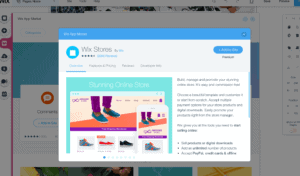
An online store is included in the Core, Business and Business Elite packages. You can also test the function in the other plans. At $29 per month it’s fairly priced (there are no sales fees) and it allows you to sell both physical and digital goods while tracking what you have in stock. There are even advanced features like selling subscriptions, an Amazon integration and dropshipping. Learn more in our detailed Wix Ecommerce review.
Wix has greatly improved its SEO options. Now you can change the SEO titles of pages, meta descriptions, and image alt texts. Additionally, they have advanced tools like 301 redirects and SEO patterns that let you set rules to automatically create titles and descriptions. It also connects with Google Business, and if you’re new to this, I recommend checking out Wix SEO Wiz. If you want to learn more about Wix’s SEO features, take a look at this guide.
Wix’s blog is a pretty good add-on, which is also SEO-friendly. It comes with most of the features that you’ll need (e.g. tags, categories, RSS, etc.). It’s also possible to schedule blog posts. With the Wix Owner mobile app you are able to edit and publish articles on the go. You can even sell paid subscriptions to your blog posts.
Wix’s accessibility features, which are compliant with WCAG 2.0, are some of the most advanced we’ve seen in any website builder. Its inbuilt Accessibility Wizard will scan your site and give you a list of potential issues/areas of improvement, which you can go through step-by-step to fix (these usually involve just the toggle of a button or some minor manual adjustments). What’s more, Wix also offers some templates that are already built for accessibility out-of-the-box. You can learn more here.
You have access to 4 forms per month on the free plan. To increase this amount, you will need to upgrade to one of the Premium plans. While all of the plans include forms, features and limits will vary of course. For example: the Core plan offers 10 forms per month, while the Business plan offers 25. Other sophisticated tools can be found in the App Market.
Exemplary! Pages can be allocated an individual password. You can even create a small membership website where users sign up in order to receive personal login credentials. It’s possible to create members areas within your store, and even for bookings, events, blogs, forums etc. You decide whether members get approved instantly or manually by you. Both features included in all plans.
You can access Wix’s Email Marketing from your site’s dashboard – there’s a free plan available that allows you to send up to 200 emails per month. However, if you need a larger allowance and additional email features, you will have to purchase a specific Email Marketing plan, as this is not part of any of the Premium plans. Prices start at $10 / month. You can try any Email Marketing plan for 14 days.
It’s very easy to use but not as powerful as specialized external providers. Read our full Wix Email Marketing (formerly known as ShoutOut) review here.
Embed various widgets and other tools by means of an integrated app called HTML iframe. But that’s not all: Velo by Wix caters to people with advanced coding skills and lets you set up custom API interactions by means of JavaScript. You can also create databases.
From 500 MB to unlimited web space, depending on the pricing tier.
Wix comes with a very convenient version control system, called Site History, that will let you restore to any previous version of your site with one click.
Support center, forum, phone and live chat (available 24/7 in English, although you’ll have to get through Wix’s chatbot first). The documentation is very detailed and clearly explained. If you get stuck, you can contact them directly. Answers are usually prompt but in the case of email, there’s often some back and forth until the issue is solved.
Starting up is very playful and, initially, impressive results are achieved quickly. Wix gives you a lot of freedom in the design process.
0.0
Wix.com is a smart website builder with a strong focus on design. Relatively easy to use and as flexible as it can get. It’s not the cheapest option and has certain peculiarities. But overall, we see it as the perfect website builder for small businesses and individuals who want to create, manage and grow their online presence.
A More Detailed Look at Wix’s Top Features
If I am being honest I had my reservations about Wix at first as their product hasn’t always been easy to recommend. Back in the days it was Flash-based and always a bit different (like your old classmate who had that weird taste in clothes). However, thanks to the never-ending improvements they have become one of the cool kids, slowly climbing our ranking to now claim the top position.
Is Wix really that easy to use?
One of the things we really like about Wix is that it caters to users of all levels of technical experience. For complete beginners, there’s an AI-powered Website Builder. All you have to do is answer a few quick questions, and it will build you a ready-to-go site in just minutes.
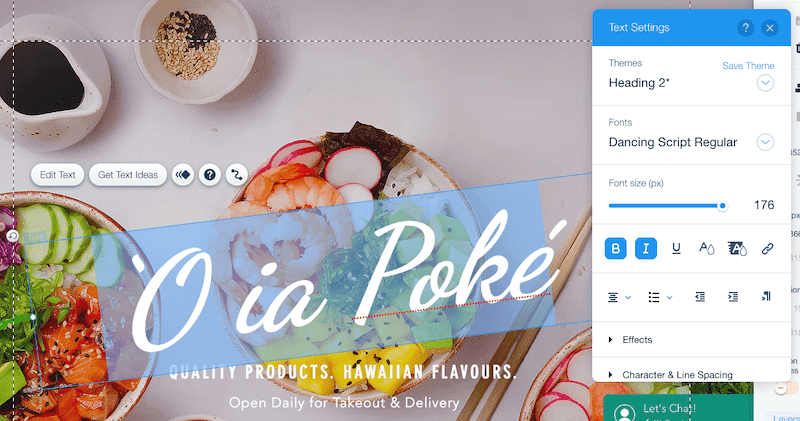
Most users, however, will probably feel pretty comfortable using the regular Wix Editor. After picking a template, you’ll be able to use Wix’s drag-and-drop editor to customize your site pretty much any way you like. You’ll have close to full control over what’s included in your web pages, where it’s placed, and how it looks (you can customize fonts, colors, styles, interactions etc).
Wix sites on mobile devices
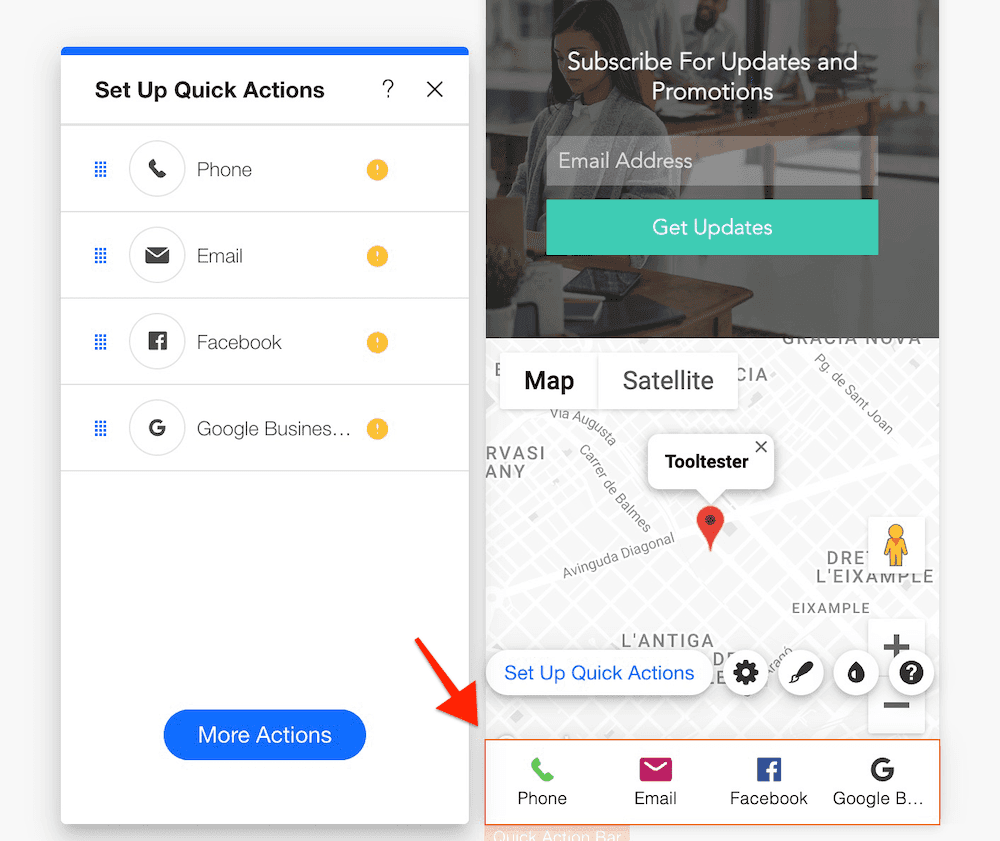
Sadly, Wix takes an adaptive design approach rather than a fully responsive one. While most competitors (like Squarespace or GoDaddy) use responsive themes that automatically adjust layouts across devices, Wix provides a dedicated mobile editor where you can customize how your site appears on smartphones, separate from the desktop version.
This gives you more control over your mobile layout, for example, you can hide elements, but there’s a catch: you’ll need to spend time ensuring your Wix site looks perfect on mobile.
Wix’s mobile editor
How It Works:
Your desktop design is automatically converted into a (more or less) mobile-friendly layout. Since 2023, Wix’s revamped mobile editor allows direct editing of most elements (text, images, buttons) in the mobile view, reducing the need for manual adjustments. A new AI tool also optimizes layouts for smaller screens, though complex sections (e.g., grids, galleries) may still require fine-tuning, however, you may still to tweak a bit your design.
Enhancing your site with Wix apps
With Wix you can easily add extra functionality to any Wix site by using their integrated marketing tools or with the help of an app. The Wix App Market is one of Wix’s best features, as it includes around 800 + apps that can be enabled with just a couple of clicks. These include not only external applications, but also Wix’s own extensive range of apps for restaurants, musicians, artists and many other businesses.
For years, if you wanted to use Wix’s business features, you had to subscribe to Wix Ascend, an extra package that included a CRM, email marketing, automations, and forms, among other things. But now, you can enjoy those same tools, plus live chat and social media posting, without an extra subscription.
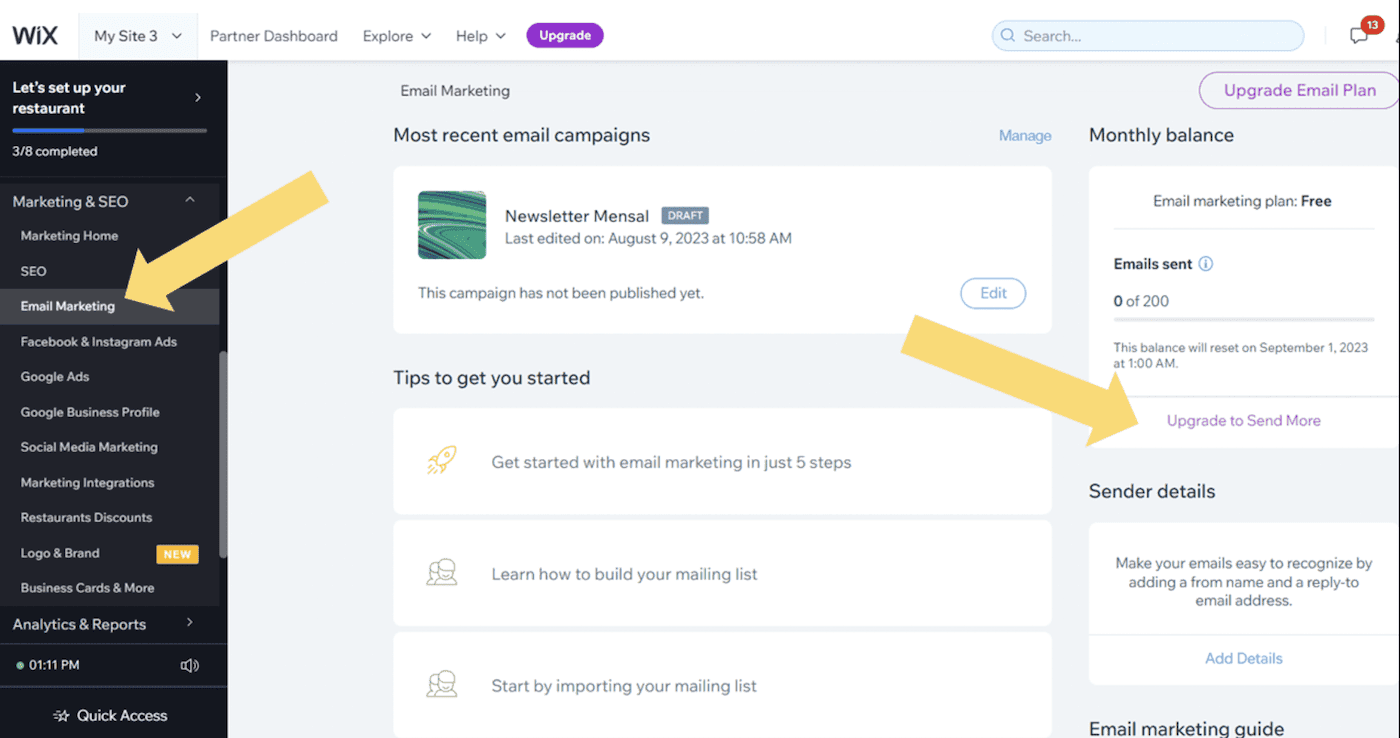
Wix Email Marketing
They have also launched separate Email Marketing plans for users interested in this tool. There is a free version available, but if you need more allowances and features, you will have to upgrade to one of the three paid plans, starting at $10/month. Read more in our Wix Pricing Guide.
Wix Bookings is useful for those with appointment or service-based businesses. It’s a scheduling app for booking appointments or classes on your website, with payment options, Zoom integration, staff management, memberships and more. It’s free with Wix’s Core and Business plans.
But Wix offers a handful of industry-specific and niche apps, too. Among these are Wix Hotels, Wix Restaurants, Wix Events, and more.
The ones not made by Wix can be a little hit and miss: we found a few that were not of really great quality and some of them are also pretty expensive for what they are.
What about SEO?

While a lot of criticism has been levelled at Wix’s SEO capabilities over the past few years, a lot of it isn’t really relevant any more. Wix has invested a lot into beefing up its SEO features, with new ones constantly being added.
Aside from the SEO Wizard – a personalized optimization plan that’s handy for beginners – you’ll also find advanced features such as an editable robots.txt file, customizable canonical tags, bulk 301 redirects, structured data, smart caching, support for Google AMP, and a whole lot more. Wix has also launched its own SEO Learning Hub with a variety of in-depth guides, videos, articles, tutorials and even a podcast to help you refine your SEO tactics. You can read our full analysis of Wix’s SEO capabilities here.
Unless you are planning on ranking for some insanely competitive keyword you should have no issues with Wix! In the end, SEO depends a lot more on your ability to create outstanding content rather than the website builder.
Wix for advanced users
Recognizing that their standard editor might be too limited for coding-savvy users, Wix introduced Editor X in early 2020, which is a completely different product. As an advanced editor aimed at more experienced users (in particular, designers and agencies), it allows you to build responsive websites for different breakpoints. Learn more about it here.
But, if you really want to get deep into your Wix website’s code, there’s Wix Velo. It is part of the standard Wix package and is for those with serious technical know-how (read: developers). As an open development platform, it lets you build out advanced websites and applications by adding custom functionality to your website (via JavaScript and APIs), as well as the ability to develop databases. While it’s not something that most Wix users will need to use, it’s certainly handy to know that this functionality exists, in case you have big plans for your Wix site in the future.
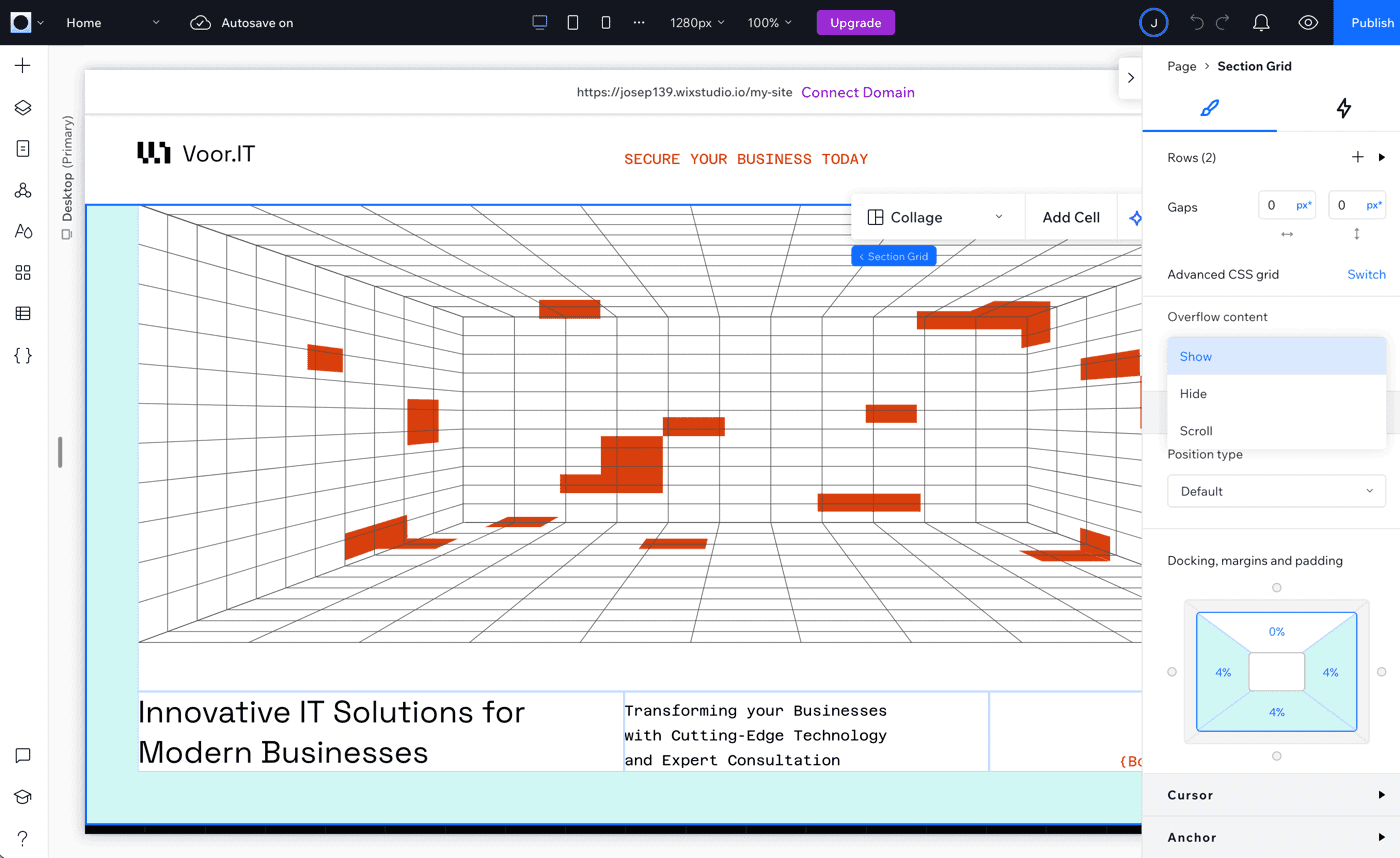
Wix Studio: For pros who need extra firepower
Wix Studio is Wix’s “power-up” for freelancers and agencies tackling complex website projects (think custom e-commerce or membership sites). Unlike the standard editor, it throws in tools like CSS tweaks, responsive websites, multi-site management.
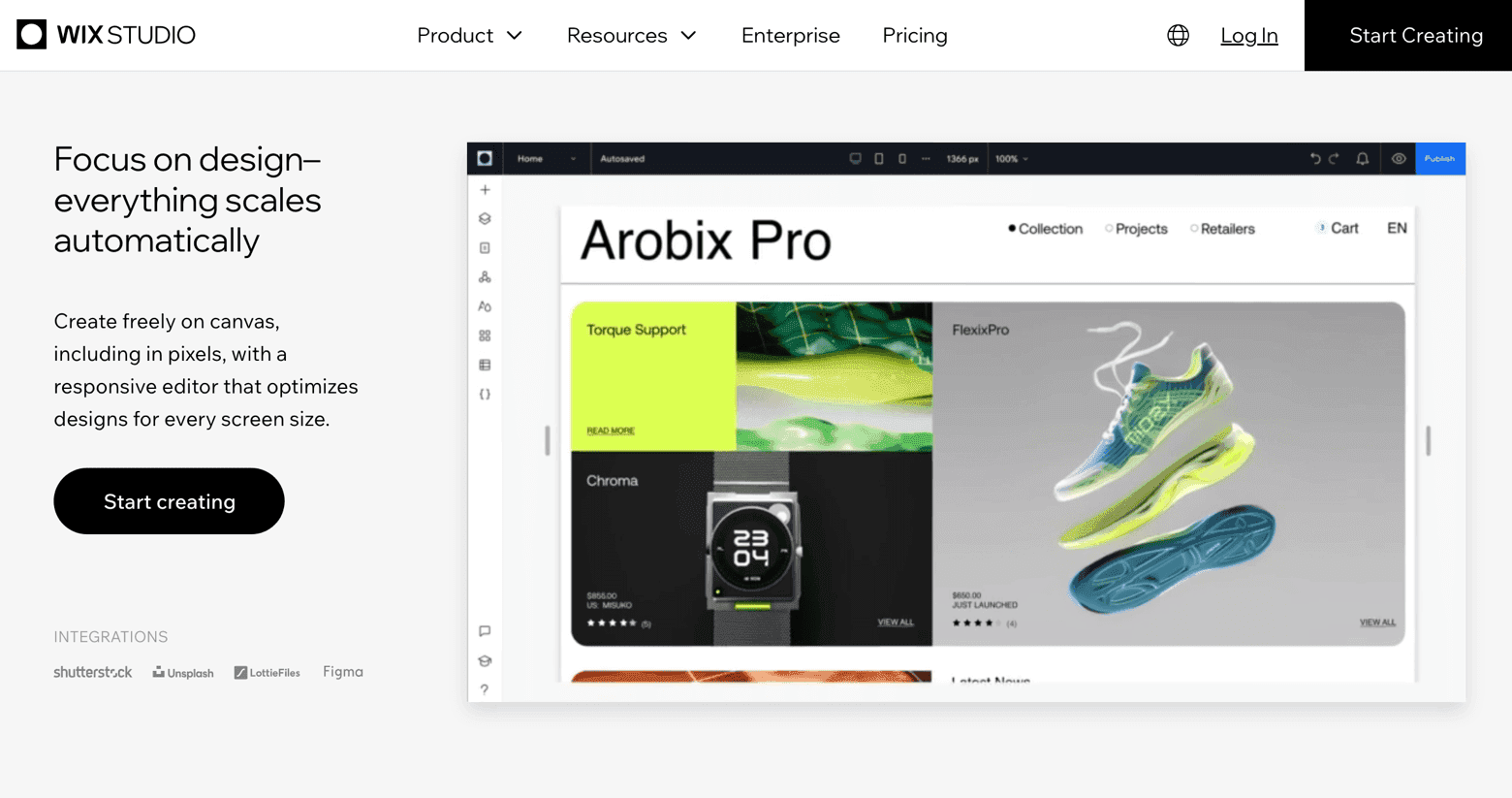
That said, the learning curve can be steep, and users without prior site-building experience might find Wix Studio challenging to use.
How It Works:
You get a workspace to manage multiple clients, white-label branding (bye-bye, Wix logos), and tools like AI-powered responsive design. You can also connect APIs for booking systems or member logins, and even access something similar to a development environment. But classic Wix quirks remain: you’re stuck with their hosting, and you still can’t switch templates after publishing.
Wix Review: Conclusion
The verdict of this Wix review is pretty clear: It’s the best website builder for smaller websites. Let me summarize the main aspects you need to consider before using Wix:
Ideal for medium and small websites (up to 50 pages).
Not recommended for large projects, as it only has one navigation submenu.
Many different templates for many sectors.
You can’t change the template once chosen, it requires manual redesign.
Offers great flexibility and creative freedom.
Integrates an online store and apps for businesses like musicians, photographers, restaurants, etc.
We always recommend giving Wix a try for free first, before opting for one of their plans. This way, you can see for yourself if Wix could be a suitable option for you.
Thank you for taking the time to read our Wix review. If you have any questions or suggestions, feel free to leave a comment; we’d love to hear from you.
Good luck with your web project!
Is Wix the right website builder for you?
Recommend If
Not Recommend If
You need cutting-edge templates with ready-made designs for your industry (e.g. architecture, fashion, advertising, jewelry, restaurant, hotel etc.)
You are a photographer and want to showcase your images in stunning galleries (and even sell your photos)
You are a musician or band and want to sell music online
You need a lot of flexibility customizing your design.
You want to be able to add additional apps easily (e.g. appointment scheduler for clients, event calendar, forum etc.)
Real Wix Example Sites

Wix User Reviews
0.0
522
414
32
21
10
Very user friendly & efficient for a small business owner
Wix made it easy to upgrade our company website.
Apps don't work as they are supposed to
Very cool!
Has a bit lack of features
FAQ
How do I use a domain name that I already own?
After logging into your Wix Account you will see the “Domains” menu. Here you can simply enter the domain name that you want to use. If you have already registered the domain name, they will show you how you can transfer it or point it to Wix (see screenshot). More information here.
Where is Wix from and where do they host my website?
Wix was founded in Tel Aviv (Israel) by Avishai Abrahami, Nadav Abrahami and Giora Kaplan. Tel Aviv is also where their headquarters are located. Furthermore they have offices all around the world: New York, San Francisco, Berlin, Sao Paulo and others. They are a public company, listed on NASDAQ: WIX.
Their customer’s websites are hosted on servers in the United States.
Learn more about Wix: What is Wix?
Is Wix actually good for SEO?
Yes. If you are worried about SEO and want to reach the top of Google’s rankings, you can do so with Wix. You have access to page titles, descriptions, 301 redirects and pretty much to all other relevant settings.
Where the Wix website builder falls short is ‘page speed’. While you can certainly influence your website’s loading speed, Wix doesn’t allow you to fully edit your source code as, for example, WordPress does. However, if you need this, you’ll probably be operating in a highly competitive industry. In this case, you should check out a more high-end solution, such as WordPress. But keep in mind that it’ll be much more complex to use.
Learn more about SEO for Wix here.
Is Wix legit?
Yes, Wix is a legit company. Wix is a publicly traded NASDAQ company offering a 14-day money-back guarantee on all of its premium plans.
Since you can try out almost all features using a free plan, the risk of using Wix is minimal. Overall, Wix is a safe company to do business with.
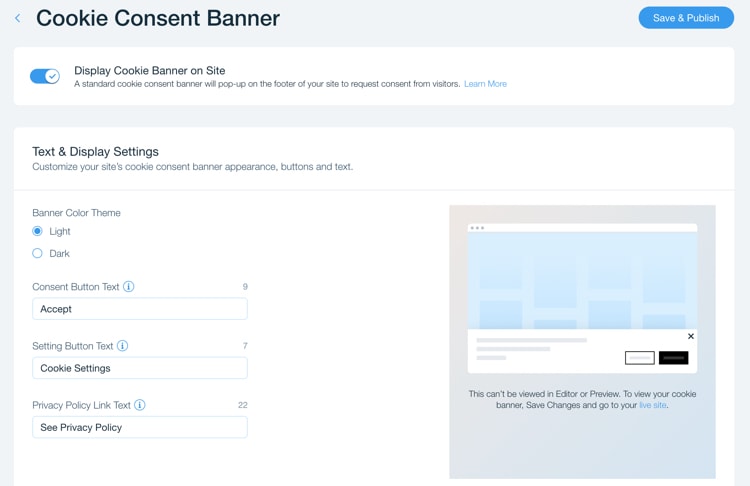
Can I display a cookie banner on my site?
Yes, Wix lets you activate a cookie consent banner where your visitors can select which cookies they want to allow (e.g. marketing cookies, analytics cookies, etc.). This will help you fulfill the GDPR requirements for visitors from the EU.
Do I need my own web space to use Wix?
No, Wix is a hosted website builder. What that means is that by signing up they will provide everything you need for a complete website: the editor, the web space and a domain name. For a proper .com or .net domain you will have to purchase one of their premium plans.
If I use Wix to build my website, will they own my content?
No, Wix will not become the owner of your content when you build a website with them. Here is what their terms of service say: “Wix does not claim any intellectual property rights over the User Content[…]” (TOS: 15. User Content D.)
The same applies if you purchase a domain name through them. They will never own it and you are free to transfer it to another domain registrar.
Does Wix run both on PC and Mac?
Wix runs in your web browser (Google Chrome, Mozilla Firefox or Microsoft Edge), it doesn’t matter if you are using a Mac or PC. Just make sure your browser is up to date!
What is Velo by Wix?
Velo by Wix (formerly Wix Code) is a unique way to add custom applications and dynamic pages to your Wix website. An example would be a registration form, where artwork and text can be submitted. Using this data you can now create dynamic pages on your website that include this information.
Wix Velo allows you to create websites with a depth of features that currently only professional CMS can deliver. Find further information here.
Is it possible to monetize my Wix site?
You can integrate Google AdSense via their App store (the app is not available for Wix AI). Another possibility is banner ads and affiliate links. It’s also possible to control which sellers advertise on your site by uploading an Authorized Digital Sellers file.
What is Editor X?
With Editor X, Wix especially approaches designers and advanced users, similar to Webflow.
You have even more customization options than with Wix’s regular editor. Editor X allows you to build your site from scratch or adjust the available templates to your taste, through e.g. advanced “Grid Layouting”, “Text Scaling” and setting up “Custom Breakpoints”. Like that, you can create perfectly responsive websites and you don’t even have to use CSS.
The implemented developer mode (Wix Velo) contributes to the editor’s great flexibility as well.
Are Wix websites accessibility-friendly?
Wix’s accessibility features, which are compliant with WCAG 2.0, are some of the most advanced we’ve seen in any website builder. Its inbuilt Accessibility Wizard will scan your site and give you a list of potential issues/areas of improvement, which you can go through step-by-step to fix (these usually involve just the toggle of a button or some minor manual adjustments). What’s more, Wix also offers some templates that are already built for accessibility out-of-the-box. You can learn more here.
Techie Stuff (Mainly for Geeks)
In this section you can find a summary of some technical aspects about Wix.
Wix Uptime & Response Time
Wix Page Speed
This image shows the so-called “uptime” of our Wix demo website of a period of an entire year. When a website goes down, it means that no one can access it, which is bad for business. The closer the uptime is to 100%, the better it is. Anything less than 99.90% is considered relatively poor. Wix’s score of 99.95% is pretty decent.
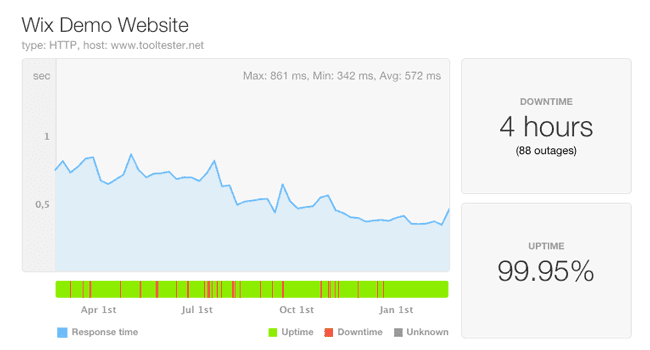
The graph also shows Wix’s response time, i.e., the number of milliseconds it takes to get a response from their servers. A value in between 200-500ms is relatively good: more than 800ms can feel slow to the website visitor. Wix’s servers are located in the USA, which means that loading times are fastest there.
Find the current availability status on the Wix Status page.
Wix Alternatives
Squarespace is the one you should pick if you want to start a blog. Their fully responsive designs are sophisticated, and Squarespace’s support is more personal and less salesy. The editor feels a bit more complicated than Wix, though. Read our Wix vs. Squarespace article for more information. In our book, it’s the top Wix alternative.
Hostinger Website Builder (formerly Zyro) is a relatively new contender with very affordable prices. Their website editor feels very similar to Wix’s but is lighter on features. We would recommend Hostinger for anyone who is looking for a website builder like Wix but doesn’t have the budget for it. They also offer great designs as well as multilingual sites, but you won’t find many apps or integrations with external services. See our full Hostinger Website Builder vs Wix comparison.
Jimdo is a lot lighter on features but probably the fastest website builder. It’ll take you no more than 10 minutes to create your first personalized website draft. Jimdo sites also load very fast. But don’t expect features like a blog or advanced SEO settings.
Weebly is a great Wix alternative as it’s extremely intuitive and easy to use. Its templates are not quite as stylish (or as numerous) as Wix’s. Weebly also offers a more structured editing approach than Wix that some users prefer. Read our Wix vs Weebly comparison.
Not sure what website builder you should use? Let our smart finder decide for you in 2 minutes.